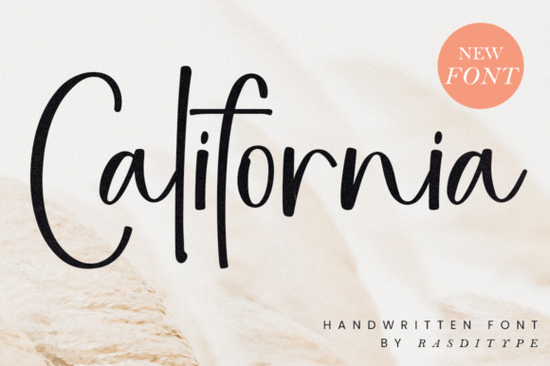
If you're looking for a handwritten font that blends charm with versatility, the California Font is worth your attention. It’s clean, legible, and carries just enough personality to stand out without overwhelming your design. Whether you’re crafting wedding invitations, designing logos for small businesses, or adding subtle watermarks to your photography, this font adapts smoothly across both digital and print projects.
What makes California Font work so well for real-world projects?
Handwritten fonts can sometimes feel too casual or too fussy but California strikes a thoughtful balance. Its letterforms are consistent in weight and spacing, which helps maintain readability even at smaller sizes. That’s especially useful if you’re creating social media graphics, packaging labels, or printable quote art for Etsy shops. The style feels modern yet timeless, avoiding trendy quirks that might date your designs in a year or two.
For crafters and print-on-demand sellers, reliability matters. You don’t want a font that looks great in a preview but falls apart when layered over textured backgrounds or scaled down on a mug. California holds up well in those situations, thanks to its clear strokes and open counters (the enclosed spaces inside letters like “o” or “e”).
How does it compare to other script fonts?
Not all script fonts serve the same purpose. Some lean decorative like Peach Club, which has playful swashes perfect for birthday cards while others, like Country Kitchen, evoke rustic warmth ideal for farmhouse-style branding.
California sits closer to clean, contemporary handwriting. If you’ve used Soulmate, you’ll recognize a similar elegance, though California is slightly more restrained making it better suited for professional contexts like business stationery or minimalist logos. Meanwhile, Background Signature works beautifully as an overlay texture, but California shines when you need front-and-center typography that still feels personal.
And if you appreciate structured scripts with a touch of flair, you might also like Masterday another versatile option that pairs well with sans-serif fonts for contrast.
Where can you actually use this font?
Here are a few practical applications where California Font delivers strong results:
- Branding for small businesses: Think boutique shops, coffee roasters, or wellness coaches who want approachable but polished visuals.
- Wedding and event stationery: From save-the-dates to menu cards, its refined flow complements floral motifs and neutral palettes.
- Digital templates: Planners, worksheets, or Canva templates benefit from its legibility and friendly tone.
- Photography watermarks: Light enough not to distract, but distinct enough to protect your work.
- Print-on-demand products: T-shirts, mugs, and wall art with short quotes or names look cohesive and intentional.
One tip: pair California with a simple sans-serif like Montserrat or Lato for body text. The contrast keeps your layout clean while letting the handwritten headline add character.
Is it beginner-friendly?
Yes. Unlike some script fonts that require manual kerning or alternate glyphs to look “right,” California works well straight out of the box. Most users won’t need OpenType features to achieve a polished result which is a big plus if you’re using basic design tools like Canva, Cricut Design Space, or even PowerPoint.
That said, if your software supports stylistic alternates (like Adobe Illustrator or Affinity Designer), you might find subtle variations that add extra nuance but they’re optional, not essential.
Before you download: a quick checklist
If you’re considering adding California Font to your toolkit, ask yourself:
- Do I need a handwritten style that’s readable at various sizes?
- Will it be used alongside photos, textures, or minimal layouts?
- Am I creating assets for clients or my own brand that should feel warm but professional?
If you answered yes to most of these, California is likely a smart fit. And since it’s available through Creative Fabrica’s subscription model, you can test it alongside thousands of other design resources without a large upfront investment.
Ready to try it? Head over to California Font and see how it works with your current project you might be surprised how much a single, well-chosen typeface can simplify your workflow.
Learn More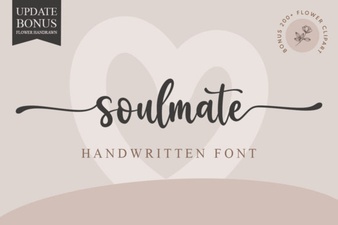 Soulmate Fonts: Designing Emotional Typography
 Craft Unique Projects with Vintage Handmade Fonts
 Chubby Fonts: Friendly Designs for Modern Projects
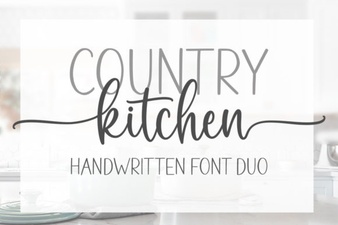 Country Kitchen Fonts for Authentic Home Designs
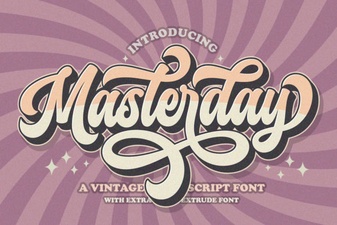 Masterday Font: a Modern Design Toolkit
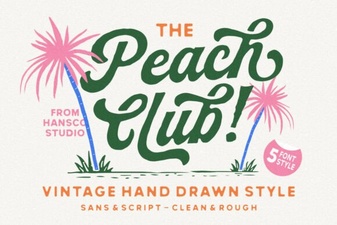 Peach Club Font: Design Guide & Creative Ideas